Future-Proofing Your Gaming PC: Components That Will Last
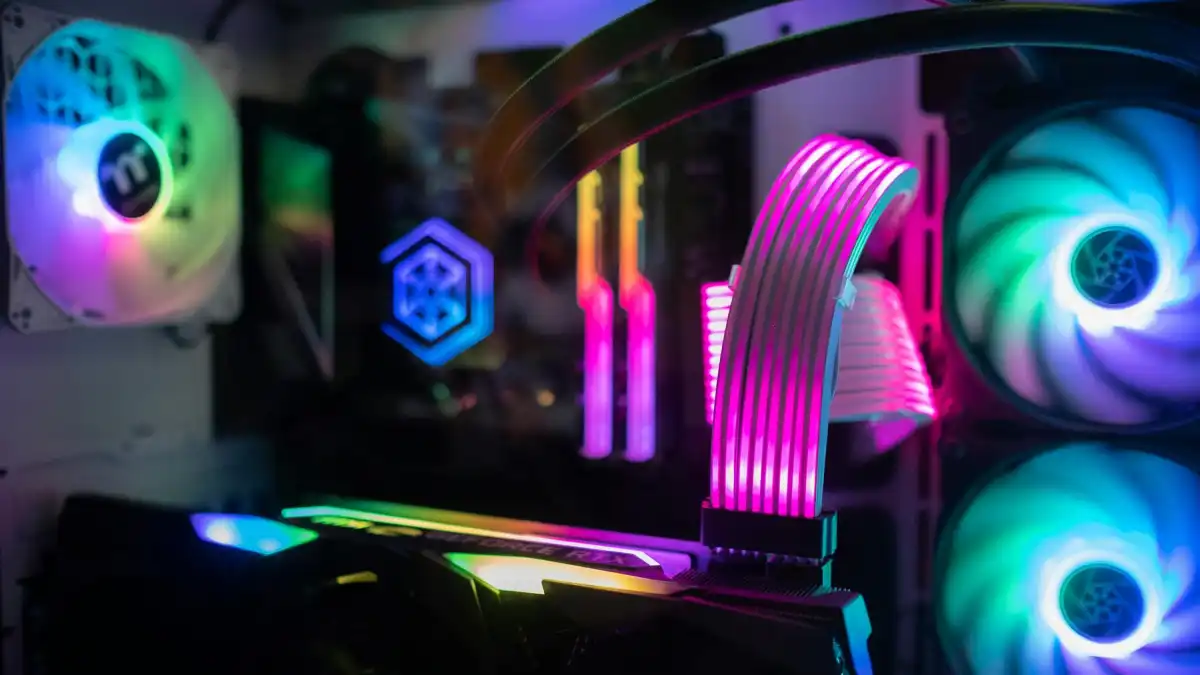
When you build a gaming PC that’ll stand the test of time, it’s a little like buying a new car – you want it to last more than a few years before it feels like junk. But in a world where technology moves at light speed, how can you guarantee your PC is going to be a beast a few years from now? Here’s how to select the right components to future-proof your build — no crystal ball necessary!
Get a Future-Proof Motherboard First
Your motherboard is essentially the foundation of a house — as long as it’s stable, everything else will slot together. If you want to future-proof your gaming PC, go for a motherboard that supports the latest tech (hello, PCIe 4.0 or, even, PCIe 5.0 fast graphics cards and storage!). You want a motherboard with enough room to grow (additional RAM slots, M.2 storage slots, and so on) so you don’t find yourself outgrowing it too quickly.
And DDR5 RAM (also introduced with the X670E and X670 chipsets) support is vital too! You might not need it today, but you will need it tomorrow. So, aim high, or go home, my friend.
Step 4: Upgrade Your CPU
If your CPU was a car engine, it’d be the one that gets you from zero to 60 quicker than a Ferrari. And for future-proofing, a multi-core processor (such as AMD Ryzen 7 or Intel i7) will keep things running slick for years to come. But come on, don’t choose the newest model just because it’s shiny and new. You want a chip that keeps up with new technology, that can handle demanding work, such as gaming, streaming and video editing, without even sweating.
If you can’t get top-tier right now, then grab a solid one that will still be a champ a few years down the road. And keep in mind: overclocking might turn you into a wizard, but be careful—it could void warranties and lead to regrets down the line.
Related
The Graphics Card (GPU):- The Game Changer

Let’s discuss GPU, which is the crown jewel of all gaming PCs. For a future-proof rig, a high-end NVIDIA RTX 4000 or AMD Radeon RX 7000 series is the way to go. These babies will be able to handle 4K gaming seamlessly, and even future titles that require insane levels of power.
Can you imagine gaming on the best PS5 4K monitors or even on a PS5 4K 120Hz monitor in the future? Your graphics card should be up to the task! And if you’re playing games on a PS5 or Xbox you’ll of course be wanting the best gaming TV to complement your monster GPU, no? Your new 4K TV for gaming will be appreciated.
RAM That Won’t Let You Down
Consider RAM to be the size of your desk. The larger it is, the more simultaneous projects (or games) you can manage. Opt for a minimum of 16GB of RAM, and ideally DDR5, if you want to future-proof your PC. That gives your PC the space to run modern games, 4K TV gaming, and general multitasking without slowing to a crawl.
32GB might seem excessive, but trust us, you’ll be thankful you did so when your favorite best gaming TV for Xbox next-gen titles demands that power to deliver the smoothest of experiences.
Don’t Skimp on Storage
Storage is one of those things it never occurs to you to think about until you’re out of it. If you are playing PS5 games and want to out-load your friends, an SSD (Solid State Drive) is your friend. For long-term viability, buy an NVMe SSD with PCIe 4.0 or PCIe 5.0 support. It will also speed up your PC boot, load games more quickly, and let you avoid that dreaded “storage full” screen.
A 1TB SSD is a good place to start, but keep in mind, games are getting larger. If you’re in it for the long haul, get a 2TB or higher.
Power Supply Unit (PSU) — Generally, You Get What You Pay For
General rule of thumb: if your power supply fails, everything fails. A good PSU is like a good friend, It always won’t forsake you. Start with a PSU rated at 80+ Gold efficiency level or better for a smooth running build.
And because future-proofing is about being one step ahead of yourself, a power supply that manages 750W to 1000W is essential — it’s better to have more power than to find out in a year or so that your GPU is too powerful or your extra fans are too greedy.
Cooling: Keep Your Rig Chill
If your gaming rig was a rocket, cooling would be the gas that prevents it from overheating. A solid cooling solution will improve the longevity of your components, particularly the CPU and GPU. When considering future proofing, opt for a liquid cooling solution or a high-performance air cooler. Just don’t let your PC get too hot—no one needs a fire hazard, let alone lag and dropped performance.
Bonus Tip: Don’t Overlook the Extras
It’s more than just the guts of your PC. Ensure that you’re hooked up with the best monitors for PS5 and 4K monitors for PS5 to give your future-proofed PC all the life it can get. You don’t want your graphics card and processor doing heavy lifting only to be held back by a slow monitor. Is 4K 120Hz gaming on the PS5 really worthwhile?
And let’s not forget about that best budget gaming TV, for PC gaming or gaming on PS5. You will need the best gaming TV to do those vibrant visuals justice!
Conclusion: Build for the Future, but Play Now
When PC gaming enthusiasts talk about future-proofing their gaming PC they mean putting smart choices into the right components that will allow their builds to have some staying power. If you’re not ready, you don’t have to spend big on the newest and best. Instead, focus on flexibility, upgradeability, and compatibility with next-gen technologies.
And who knows? A few years from now you’ll be looking at your future-proofed PC and thinking, “This thing is still rocking it.” Just don’t, you know, forget your gaming headphones with mic for voice chat, because you’re going to want them when you’re owning your foes in the new best gaming keyboard and mouse combo.
Because gaming is not just playing the game — it’s owning the game. 🎮🔥
FAQ
-
The key to a future-proof gaming PC is selecting high-quality components that can handle not just today’s games, but also those of the future. Focus on a future-proof motherboard, multi-core CPUs, and high-end GPUs that support technologies like PCIe 4.0 or PCIe 5.0, DDR5 RAM, and fast storage solutions. Prioritize expandability to ensure your build can grow with your gaming needs.